What is the difference between CSV UTF-8 and CSV in Excel?
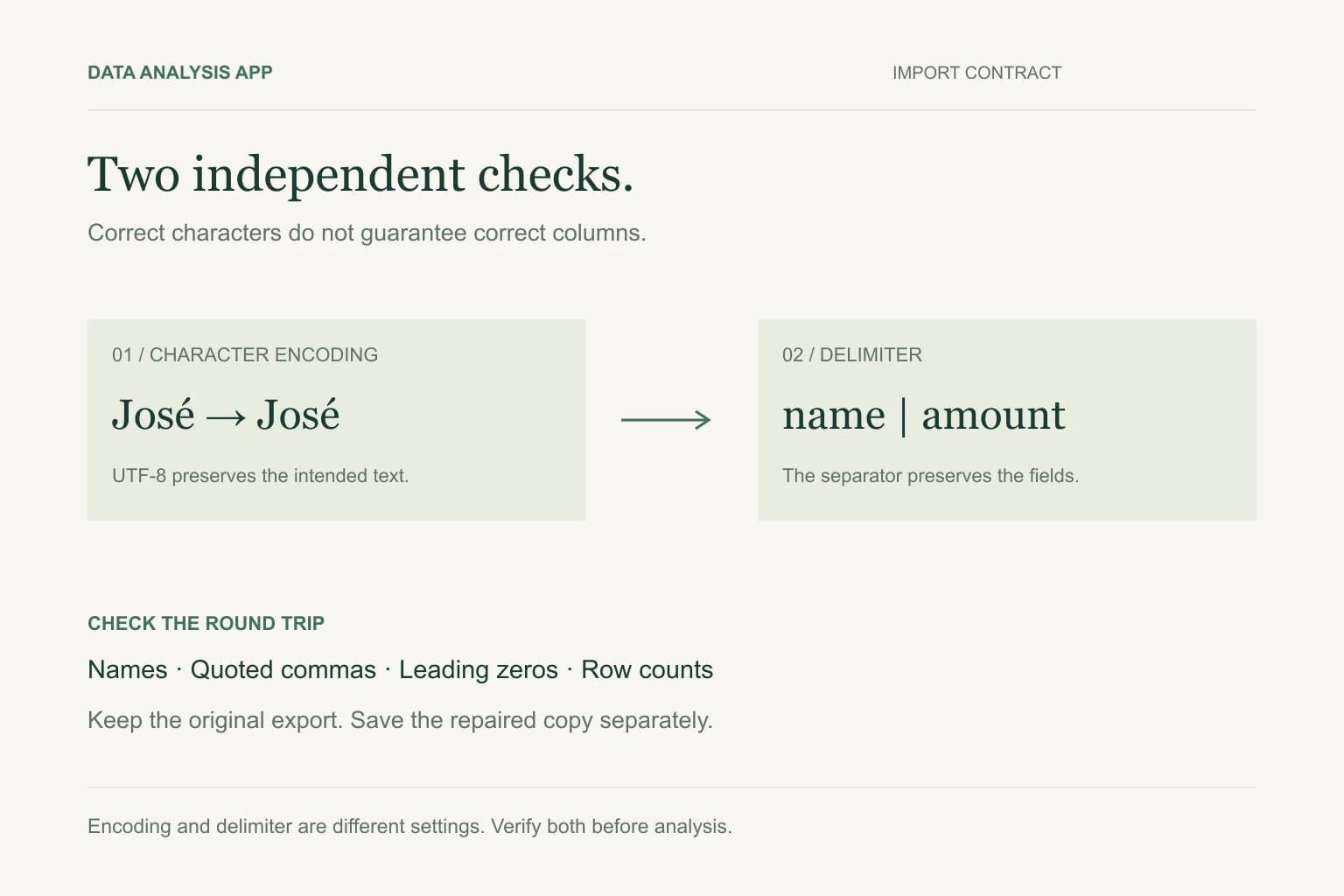
UTF-8 describes how characters are encoded; CSV describes a table stored as delimited text. Choose UTF-8 when names or other text contain international characters, then check the delimiter separately. In Excel, use the Text/CSV import preview to verify both settings before loading and saving a new copy.
Key numbers
- UTF-8
- character encoding
- CSV
- delimited table structure
- 2 checks
- characters and column boundaries
Key takeaways
- Encoding and delimiter are independent settings.
- Reimport the untouched source before trying text replacements.
- Test names, quotes, line breaks, IDs, and totals before distributing a new export.
A customer called José appears as José after an export is opened. Another file preserves every name but puts the entire row in column A. These are different failures. Choosing a different separator will not repair a character decoded with the wrong encoding.
Start with the original download, not a workbook already saved after a bad import. The steps here distinguish the two problems and establish a small acceptance test before you send the file to anyone else.
Section 01
Separate encoding from table structure
CSV is a text table format. Commas commonly separate fields, while quotes protect values containing separators or line breaks. The extension alone does not establish the actual separator, encoding, decimal convention, or date format. A semicolon-delimited export can still arrive with a .csv extension.
UTF-8 is a character encoding. A byte order mark, often called a BOM, can help Excel recognize a UTF-8 file when it is opened directly. A file without that marker can still be valid UTF-8. Microsoft documents using the Text/CSV import route when direct opening does not detect it correctly.
Section 02
Inspect the source before changing anything
Keep one untouched copy and inspect a small sample in a text editor that supports encoding selection. Look for accented names, non-Latin text, currency symbols, quoted commas, and embedded line breaks. A normal name displaying as several odd characters suggests decoding trouble; one giant column suggests the wrong delimiter.
If the source itself already contains replacement characters, importing it differently may not recover the original text. Ask for a fresh export from the source system. Replacing every visible à with another letter is unsafe because different original characters can produce different damaged sequences.
Section 03
Import through a preview in Excel
Use Excel's Data import for Text/CSV rather than relying on a double-click. In the preview, choose UTF-8 if that matches the source and select the separator that produces the expected columns. Menu wording varies across Excel versions and operating systems. Confirm the preview before loading.
Treat customer references, postal codes, and long identifiers as text. Correct encoding does not stop automatic numeric conversion. The number-preservation guide explains why a readable import can still damage the keys used to match customers.
Section 04
Use a small acceptance test
Create a test export containing a name such as José, a value containing a comma, a quoted phrase, a blank cell, and an identifier such as 00127. Include a known numeric amount. These are test values, not real customer information. After import, check each field against the original and verify that the amount is numeric.
- Characters remain recognizable in the languages your business uses.
- Each record has the expected number of fields, including quoted separators.
- Identifiers retain every character, including leading zeros.
- Row counts and numeric totals match the source system's control figures.
A physical line count is not always a record count: quoted text may contain line breaks. Use a CSV-aware reader to count records. Also distinguish a final blank line from an actual empty record before investigating a one-row difference.
Section 05
Save a new copy and check the round trip
When exporting from Excel, choose the appropriate UTF-8 CSV option if available, save under a new filename, and reopen that file through the same controlled import process. CSV does not preserve workbook styling, multiple sheets, formulas as live formulas, or every data type. Keep the workbook when those features matter.
Record the delimiter, encoding, date convention, and column types beside the export. Those few lines turn a one-time repair into an import contract another person can repeat. If the export will be reused every month, keep the acceptance sample as a regression check.
Section 06
Analyze only after the import is stable
The CSV cleaning method covers missing values and inconsistent categories after the file is readable. Correct character handling is a prerequisite for grouping: two visually similar damaged names can split one customer into multiple groups.
To inspect a file with Data Analysis App, start a project using a copy you are authorized to share. Review the detected columns and any limitations before using the findings. An analysis cannot reconstruct text that was already lost in the source export.
See it on a real project
Contractor spend rose $412,000 while headcount spend fell $448,000, leaving only a $4,000 net change.
Keep reading
Evidence
Sources
- Microsoft (2026). Microsoft: opening UTF-8 CSV files.
- Microsoft (2026). Microsoft: text and CSV import.
- Data Analysis App team (2026). Related method: delimiter troubleshooting.